At a kitchen table, you teach with your eyes.
You see the pen hesitate. You see the working drift to the right-hand side of the page, where a sign has quietly gone missing. You see the glance at the clock. Half of what a tutor does in a room is react to things the student never said.
Then you move the lesson online, and all of that disappears. What you get in return is a face in a rectangle, saying "yeah" at sensible intervals.
Online tutoring can be every bit as good as the table. But not if you run the same lesson and point a webcam at it. These are the nine habits we would build first.
1. Get their working on your screen
This is the big one. If you cannot see what a student is writing as they write it, you are not tutoring. You are giving a talk and marking the answer.
There are two honest fixes. The first is a shared canvas you both write on, so every line of working appears in front of you as it happens. The second, for students who think better on paper, is a phone propped on a stack of books and pointed at the page, joined to the call as a second camera. It looks ridiculous and it works.
Asking them to hold their exercise book up to the laptop does not count.
2. Hand over the pen in the first ten minutes
Online, it is very easy to perform. You share your screen, you explain beautifully, and your student watches you being good at maths for an hour.
So make it a rule: within ten minutes, they are writing and you are watching. On a shared board, that means they pick up the pen. Their cursor on the canvas tells you where their attention is, and a student who says "this bit" can simply point at it.
3. One link, one tab
"Can you see my screen?" "No." "How about now?" Every online tutor knows the script, and the five minutes it eats.
A call in one tab, a whiteboard in another and a past paper in a third is three places for a twelve-year-old to get lost. Cut it down however you can. Send one link, the same one every week. Open the paper inside the board, not beside it.
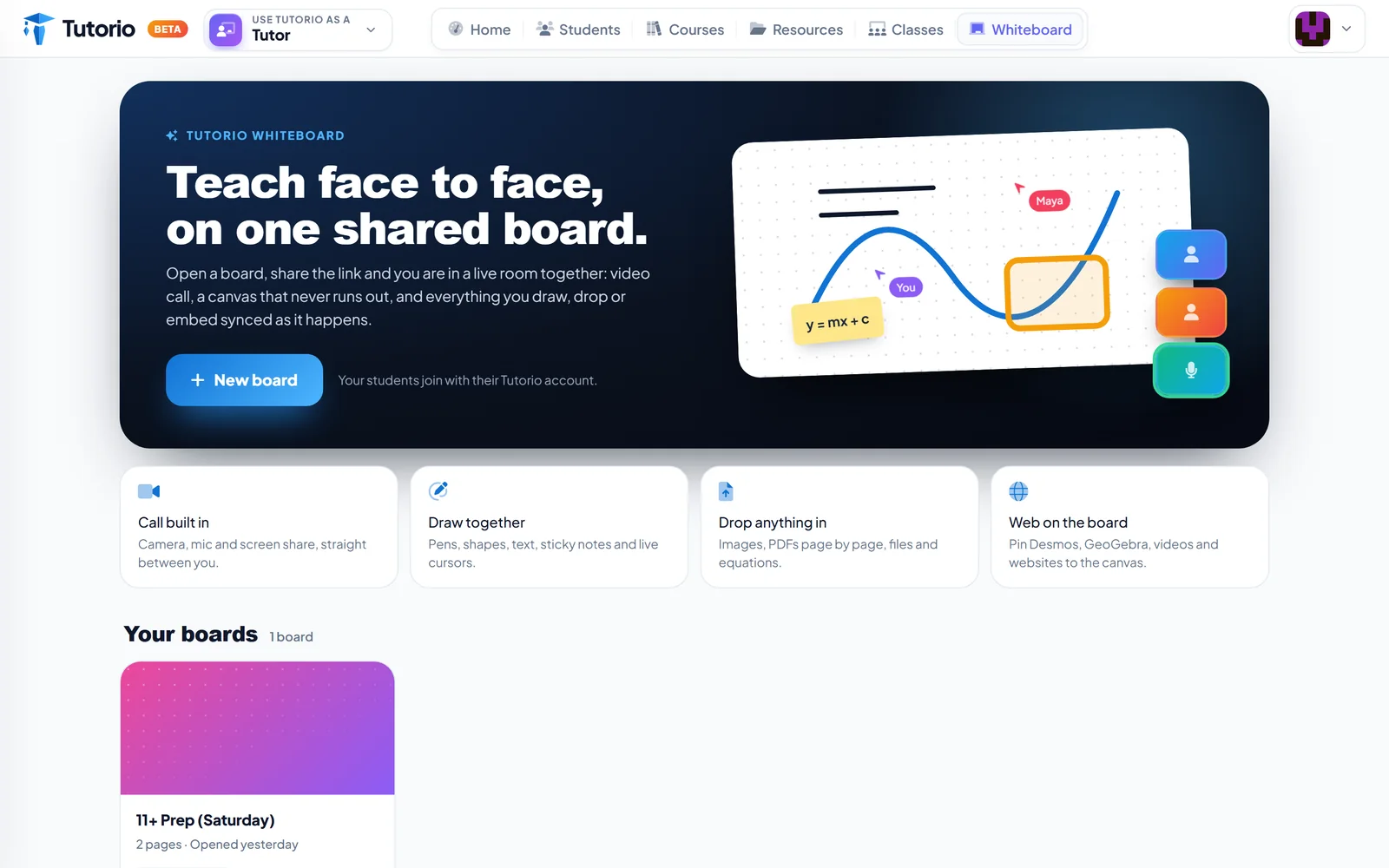
This is the reason we built Tutorio Whiteboard with the camera, microphone and screen share inside the board, and with PDFs that open page by page on the canvas. Whatever you use, count the tabs. Fewer is better.
4. Retire "does that make sense?"
In a room, you can see whether it made sense. On a call, you ask, and the answer is always yes, because yes makes the question go away.
Ask things that cannot be nodded at. "What would you do first?" "Type the next line." "Which of these two is wrong, and why?" If the reply needs a pen or a full sentence, you will learn something from it.
5. Change gear every ten minutes
Attention on a screen runs out sooner than attention at a table, for adults as much as for children. Plan the hour as a run of short stretches: a few recall questions, a worked example, one they try, a diagram to label, a question from a real paper.
The structure in how to shape a tutoring session already does this, and it works better online than a long explanation ever will.
6. In a group, collect every answer
On a group call, the quiet students can vanish entirely. Camera off, microphone muted, present in name only.
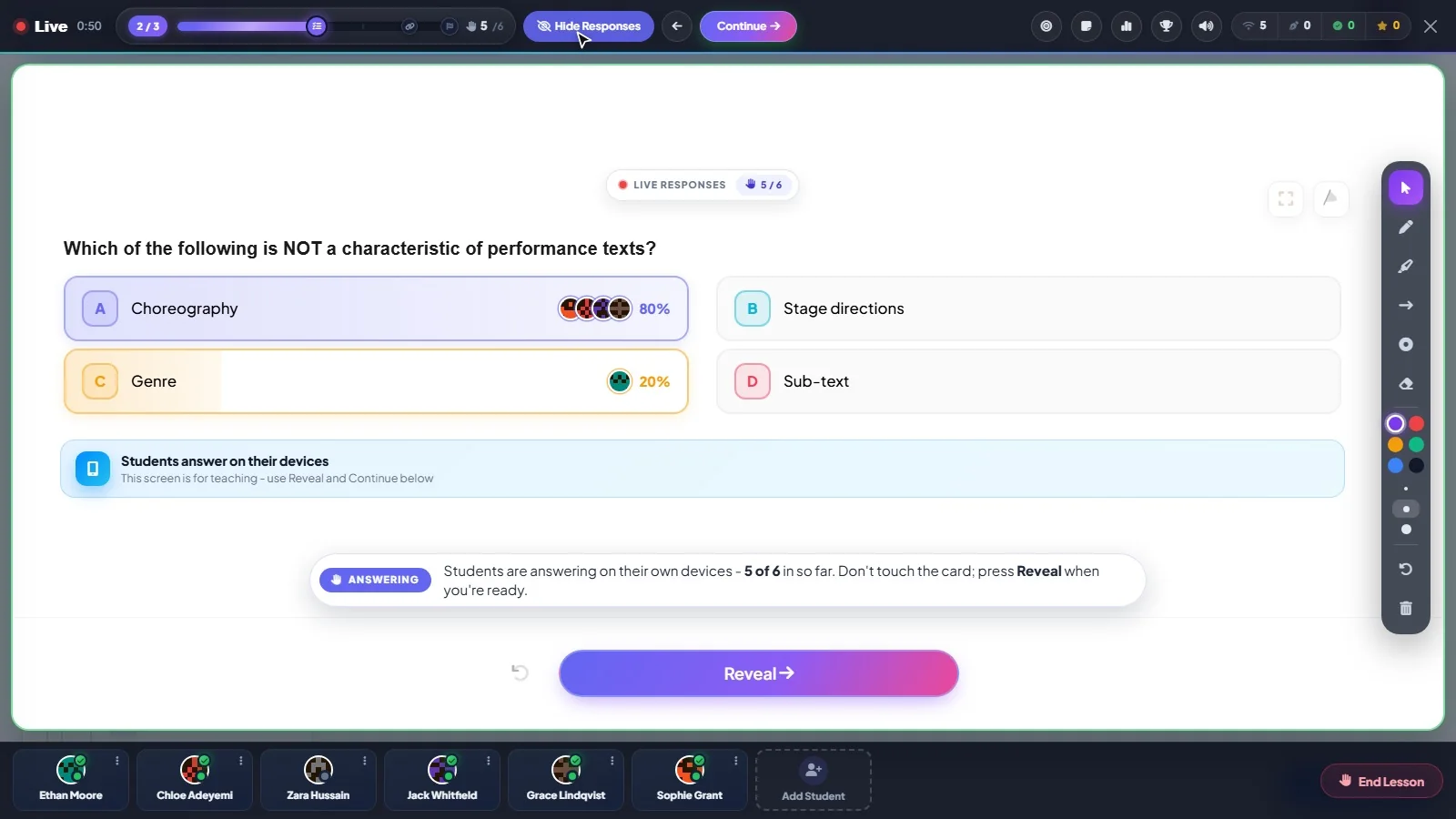
So do not ask the room. Ask everyone, and collect every answer before you give yours. The chat does a rough job of it if they all press send on a count of three. A live lesson does it properly: each student answers on their own phone, and you see who chose what before anything is revealed.
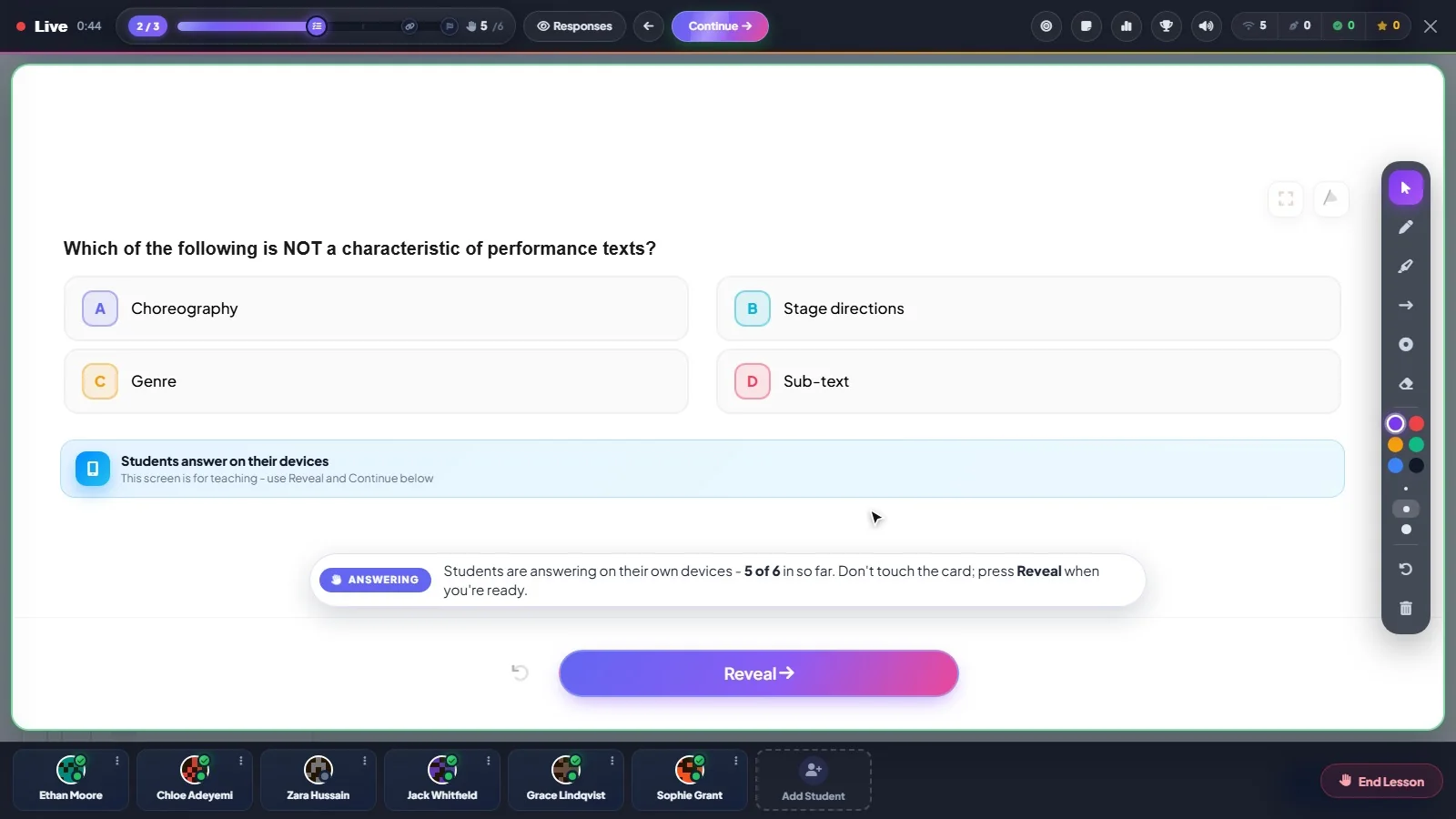
You can read how a live lesson runs, moment by moment. Students join it with the account they already practise on, so there is nothing to set up on the day.
7. Agree the ground rules with parents
Before the first online session, settle a few things with the family. Where will the student sit? A desk in a shared room beats a bed. Will a parent be within earshot? Is the camera on? Will you record anything, and if you do, who keeps it?
None of this is awkward if you raise it first, and all of it is awkward if you raise it later. With younger children, ask a parent to be around for the first and last two minutes. That is your doorstep conversation, and online you have to arrange it on purpose.
8. Have a plan B for bad wifi
Something will fail, and it will fail in the week before a mock. Decide in advance what happens. Who rings whom? Is there a worksheet they already have that you can talk through on the phone? Does a lost session get made up?
Send the plan to parents once, at the start. Then a frozen screen is a two-minute interruption and not the end of the lesson.
9. Leave something behind
When an in-person lesson ends, the page of working stays on the table. When a call ends, everything vanishes unless you chose to keep it.
Save the board, or send a photo of it. Set the work before you hang up, and say why it matters. On Tutorio, boards are saved with all their pages, so next week opens where this week stopped, and the work you set sends its own reminders.
What online does better
It is not all loss. Nobody is driving across town at rush hour. A past paper is one drag away. A graph you can both pull around beats a sketch of a graph. And the whole session is on a board you can open again in a fortnight, which no kitchen table ever managed.
Get the working on screen, hand over the pen, and ask questions nobody can nod at. The rest is detail.

Questions people ask
How do I keep students engaged in online tutoring?
Have them doing something within the first ten minutes: writing on a shared board, typing the next line, choosing an answer. Change activity every ten minutes or so, and avoid long stretches of you sharing your screen and talking.
What do I need to tutor online?
A reliable connection, a way to talk, and above all a way to see the student's working as they write it: a shared whiteboard, or a phone propped up as a second camera over their paper. Fewer tabs and links is better.
How do I see a student's working in an online lesson?
Use a shared canvas you both write on, or ask the student to join the call from a phone pointed at their page. In Tutorio Whiteboard the call and the canvas are in one tab, and PDFs open page by page so you can both write on a past paper.
Should students have their cameras on?
Agree it with the family before the first session, along with where the student will sit and whether a parent will be nearby. What you need most is to see their working, not their face.
What should I do if the connection fails during a lesson?
Decide the plan B in advance and send it to parents once: who rings whom, what work you can talk through by phone, and whether a lost session is made up.
Written by the Tutorio team. We build Tutorio, so these posts describe the product as it is today. Every screenshot is a real capture of the app, and anything that changes gets an updated date. Spotted something out of date? Tell us.