Tutoring is what you do best. Here’s how to make more time for it.
Want more time for tutoring and less time preparing lessons?
- Assess, plan, teach, review, report: one simple process
- Lessons built once, saved and ready to reuse
- On screen or on paper: print lessons, worksheets and answer sheets
For private tutors and tutoring companies. Launching January 2027, with 30 days free.
Your teaching line. Every step before Deliver, in order.
Five steps. One simple process.
Assess and plan, teach, practise, review, report. Start anywhere and skip any step: every lesson feeds the next.
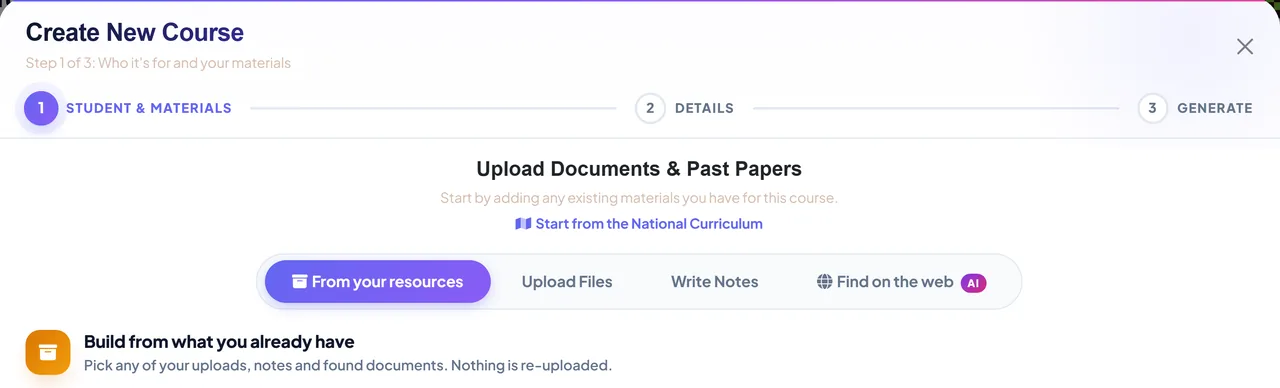
- 1 · Build
From your material to a course
Upload your notes or a specification. Tutorio drafts the lessons and questions, and you edit anything before a student sees it.
- 2 · Teach
Your way, in the room or online
Present from your laptop while students follow on any device, or print the lesson and question papers.
- 3 · Practise
Revision students will actually do
Short, gamified practice built only from what was taught. You see what each student did.
- 4 · Review
See what stuck
A short review of what you have taught shows what needs reinforcing, and the next lesson adjusts.
- 5 · Report
Show the progress
A private progress report for parents, topic by topic. Share the link, download a PDF or print it.
Every course is saved and reusable: the same lesson on the fifth use as on the first.
Laptop, paper, or both. Your call, lesson by lesson.
Tutorio does not change how you teach. It gives you the lesson in whichever form the session needs.
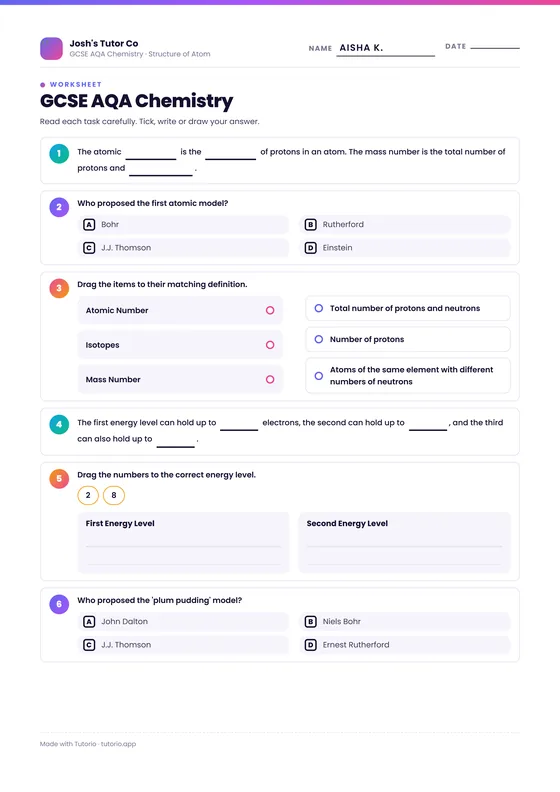
- Printed lesson and question papers that look like the real thing
- Live from your laptop: students scan a code and follow every slide in the app
- Answers lock in and reveal together, and you see every one as it lands
- Online sessions work the same way
- Lessons pitched to the student's interests and level, never material that looks primary
Solve x² − 5x + 6 = 0 and sort each statement into true or false.
Your lessons, your standards, every time.
A chat window gives you a different answer every time you ask. Tutorio keeps the lesson you approved.
Saved, not regenerated
A course you have refined stays exactly as you left it, for the next student or the next ten.
Your teaching rules, applied
How a lesson opens, how much practice, what to avoid. Set it once and every lesson follows it.
Everything in one place
Your resources, your courses, every student and every class, in one library that is yours.
Phone, laptop or paper. The same lesson, with your name on it.
Every lesson you deliver is saved for the student, with practice built in. They open it in the Tutorio app on a phone, in a browser on a laptop, or you hand it over as a printed lesson and worksheet.
- Every lesson saved, in the order you taught it
- The same lesson and practice on a phone, a tablet or a laptop
- Printed lessons and worksheets for students who work better on paper, with answer sheets for you
- Practice that adapts to what needs more work
- Streaks, daily quests and the Hall of Legends between sessions
- When tutoring ends, the student keeps read-only access for a year
Run it across your tutors
One organisation account holds your tutors, your teaching rules and your courses, so every tutor teaches to your standard, and a progress grid shows how every class is doing. Tell us about your company on the form and we will come back to you.
Join the pilot.
Reserve your place for January. Leave your name and what you teach and you will be first in when we open, with 30 days free. Tick the pilot box to work with us directly from day one.
- Instant confirmationA welcome email the moment you reserve.
- Sneak peeks before launchA few short emails showing what you'll get. Nothing else.
- First through the doorYour login lands in your inbox on launch day, with 30 days free.
Your place is reserved.
You will be first in when we open in January. We will only write to you about Tutorio.
© 2026 Tutorio Ltd. Registered in England, company number 14962372.
Questions: [email protected]
Tutoring software, answered.
What tutors and tutoring companies ask us most.
What is Tutorio for tutors?
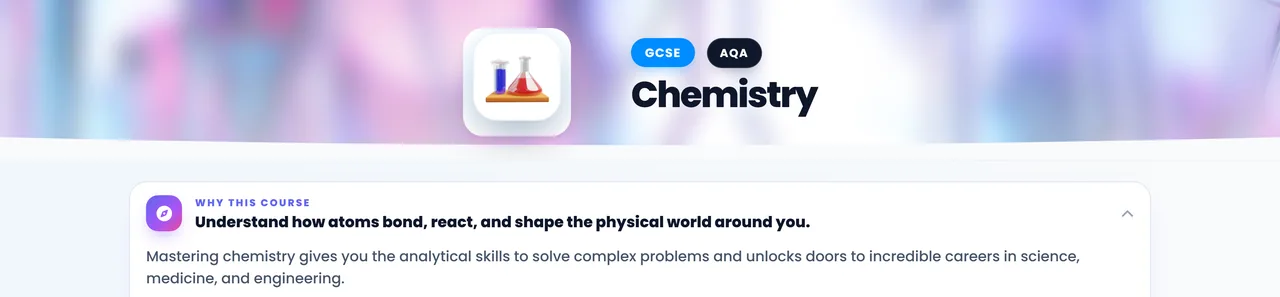
Tutorio is tutoring software for private tutors and tutoring companies, built to give you more time for tutoring and less time preparing lessons. It turns the material you already teach with into a full course: topics, lesson plans, activities, assessments and printed question papers, all for you to edit and approve. Assess, plan, teach, review and report in one simple process, on screen or on paper.
Can I use my own teaching material?
Yes. Upload your notes, worksheets or an exam specification, or just describe the course and let AI help. Tutorio drafts the topics, lessons, activities and questions from it, and nothing reaches a student until you have edited it. A course you have refined is saved, not regenerated, so it stays exactly as you left it for the next student.
Does it work for in-person and online tutoring?
Both. Present live from your laptop while students scan a code and follow every slide in the app on their own device, run the same lesson in an online session, or print the lesson and question papers. It works one to one or with a small class, and you choose the lesson length.
What do my students get?
Every lesson you deliver is saved for the student, in the order you taught it, with short gamified practice built from what was taught and nothing more. They open it in the Tutorio app on a phone or tablet, in a browser on a laptop, or you hand it over as a printed lesson and worksheet. Streaks, daily quests and characters keep them practising between sessions, and you see what each student did and how long it took. When tutoring ends, the student keeps read-only access for a year.
Can I print lessons and worksheets?
Yes. Print the lesson and question papers for a session, or worksheets, match-ups, flashcards, wordsearches and crosswords built from the same course, with an answer key for you. Nothing has to happen on a screen.
How does Tutorio show what a student has learned?
A short assessment finds each student's starting level, and a short review after teaching shows what stuck and what needs reinforcing. The next lesson adjusts for that student or that class.
Can I send progress reports to parents?
Yes. Share a private progress report with a parent from a link, with no account needed. It shows, topic by topic, what is secure, what is building and what is still to come, and it can be downloaded as a PDF or printed. You get the same picture for a whole class, and a tutoring company gets it across its classes.
Can a tutoring company use Tutorio across its tutors?
Yes. One organisation account holds your tutors, your teaching rules and your courses, so every tutor teaches to your standard, and a progress grid shows how every class is doing. Tell us about your company when you reserve a place and we will come back to you.
How much does Tutorio cost?
Everyone who reserves a place gets 30 days free when Tutorio opens in January 2027. Reserving takes about a minute, with no card and no commitment.
What is the January pilot?
A handful of tutors working with us directly from day one. Tick the pilot box when you reserve your place to be considered.
When does Tutorio launch?
Tutorio opens to tutors in January 2027. Reserve your place now and your login lands in your inbox on launch day, with 30 days free.
Something else? Email [email protected] or join the pilot and ask us directly.