Tutoring software tours: the tutor workspace up close
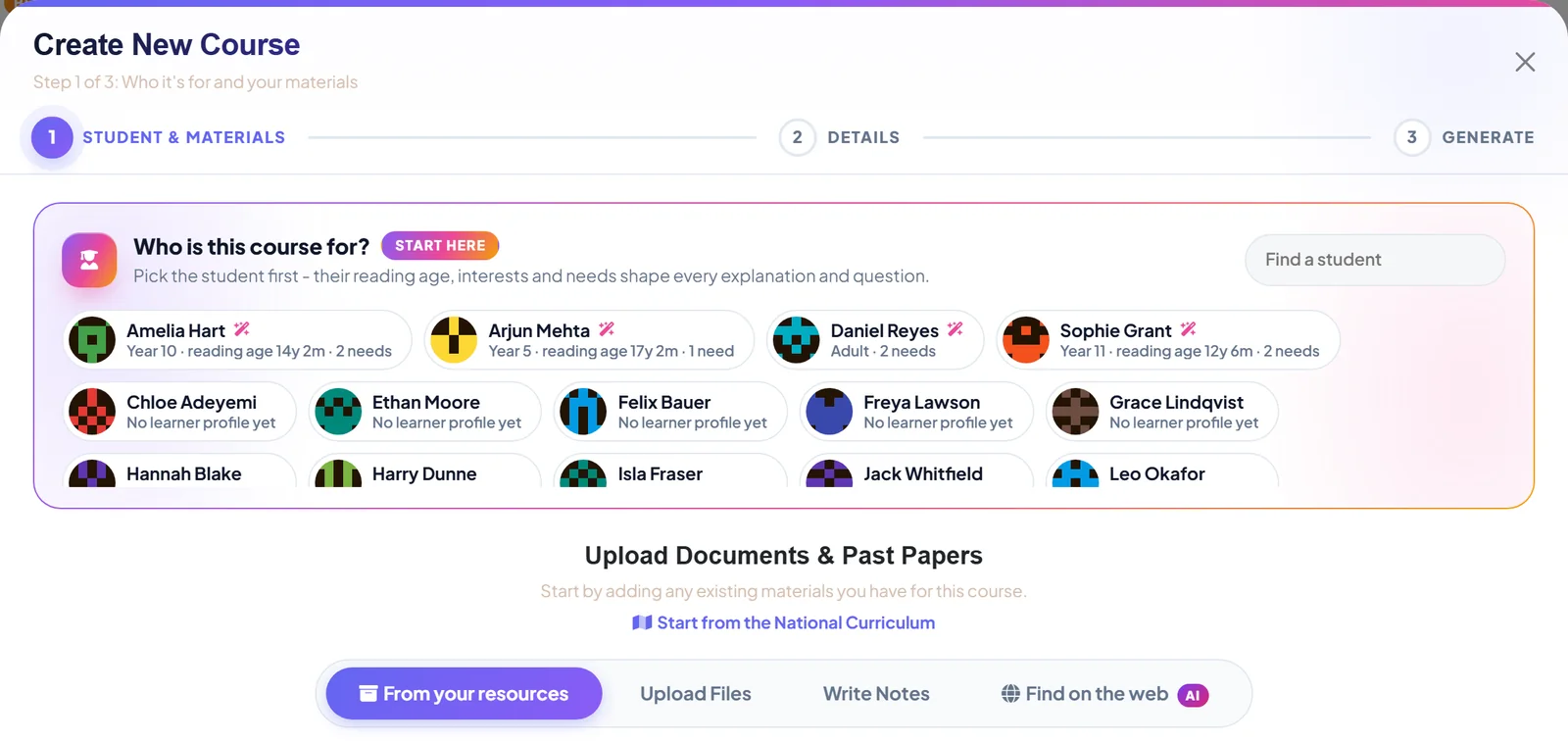
Each of these posts takes one part of the tutor workspace and walks through it with real screenshots: the dashboard that names your next job, the wizard that turns a folder of past papers into a course, the library that files your resources for you, and the whiteboard that puts the video call and the canvas in one tab.
 Latest We found the past paper. Then we checked it was real. Exam boards publish specifications and past papers for free. Finding the right one should not take an evening. One tab does the looking, and then does the checking. Read the post
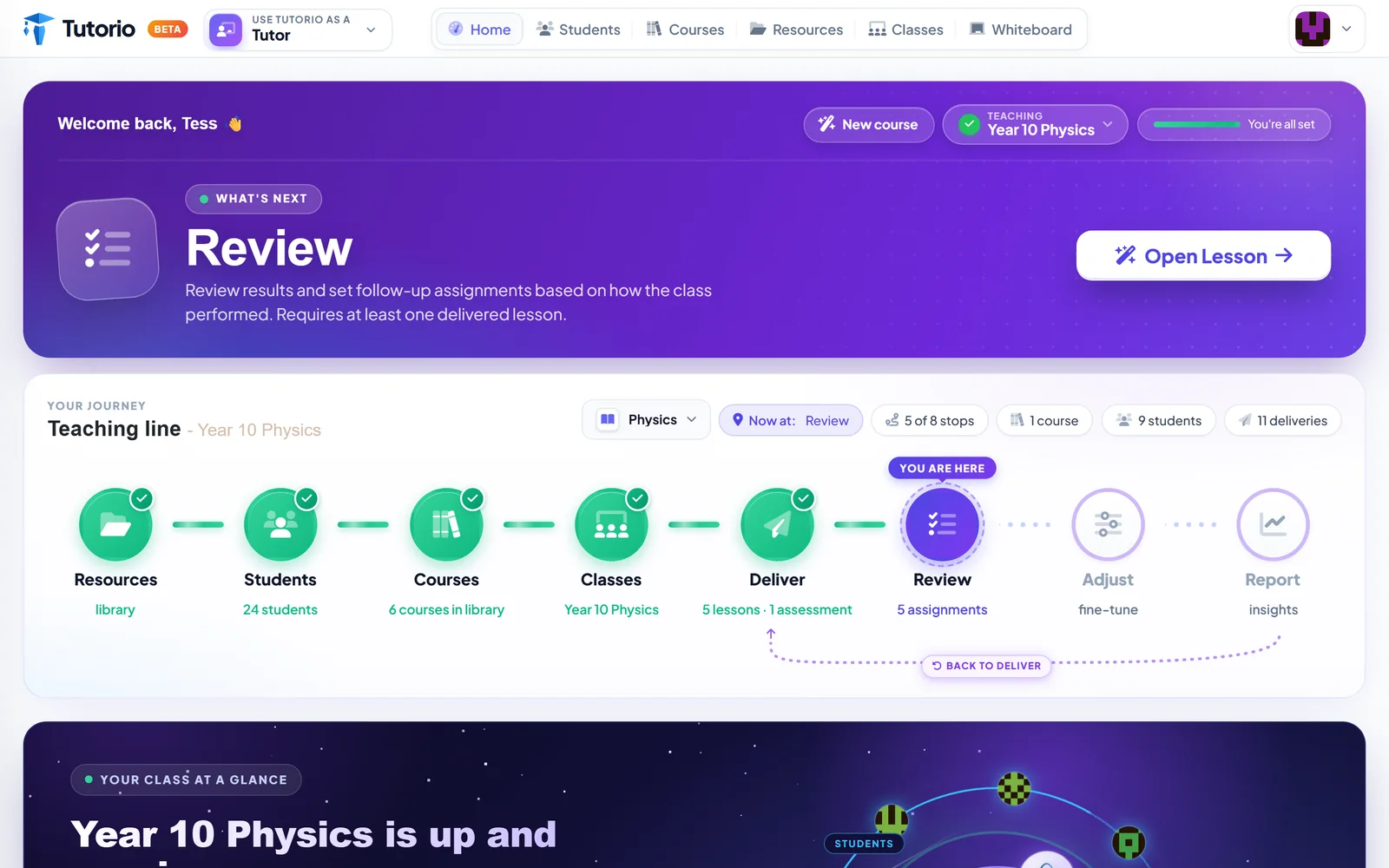 Product tours Your dashboard should tell you what to do next It is 6.40pm, your student arrives at 7, and you have opened your laptop. What you see in the next five seconds matters more than any feature list. Product tours That folder of past papers is a course. You just have not built it yet. Every tutor owns a folder that took years to collect. The course wizard turns it into lessons a student can do on a phone, and it starts by asking who the student is.
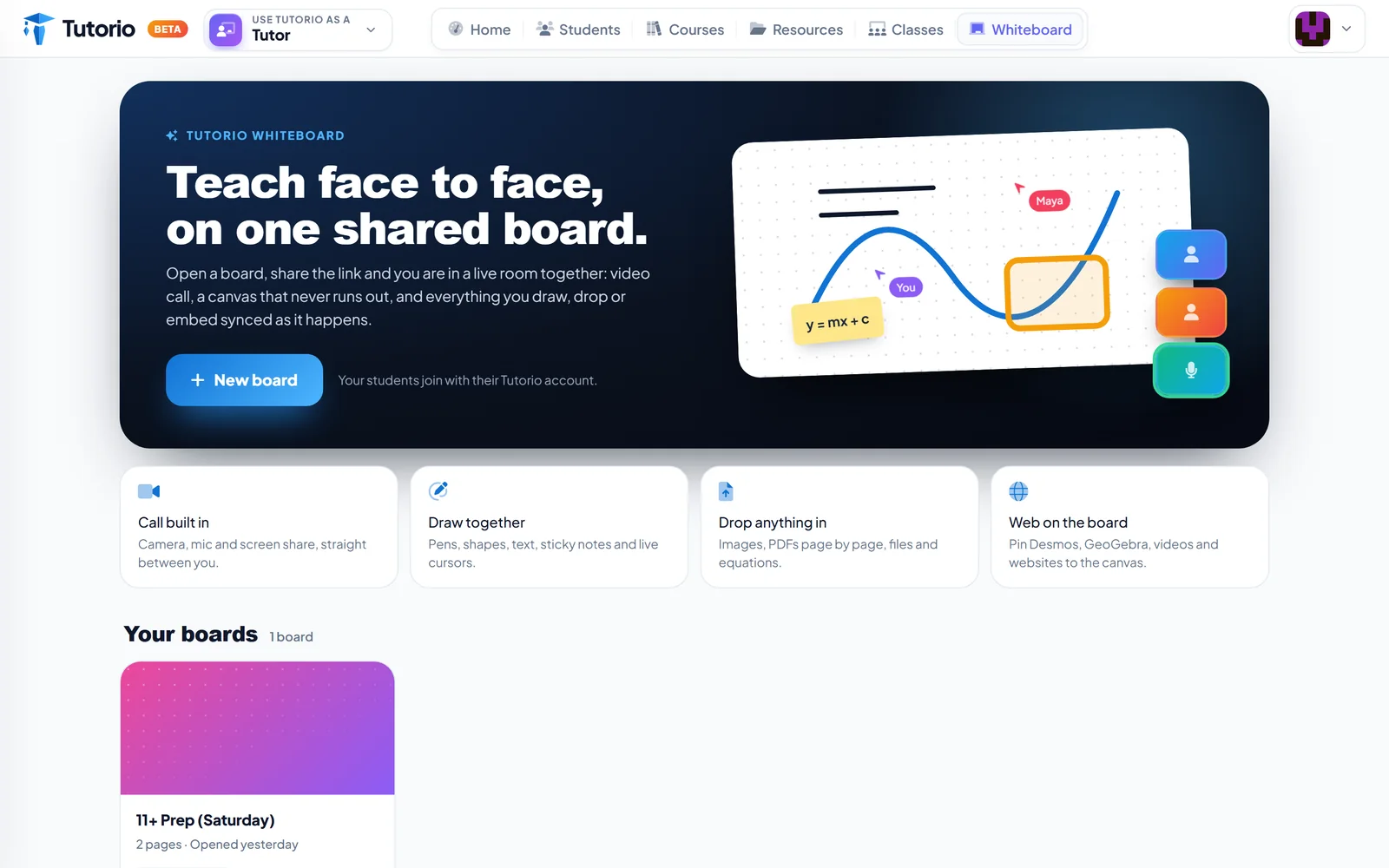 Product tours Three tabs is two too many A video call in one tab, a whiteboard in another, the past paper in a third. Tutorio Whiteboard puts the call, the canvas and the content in one room.
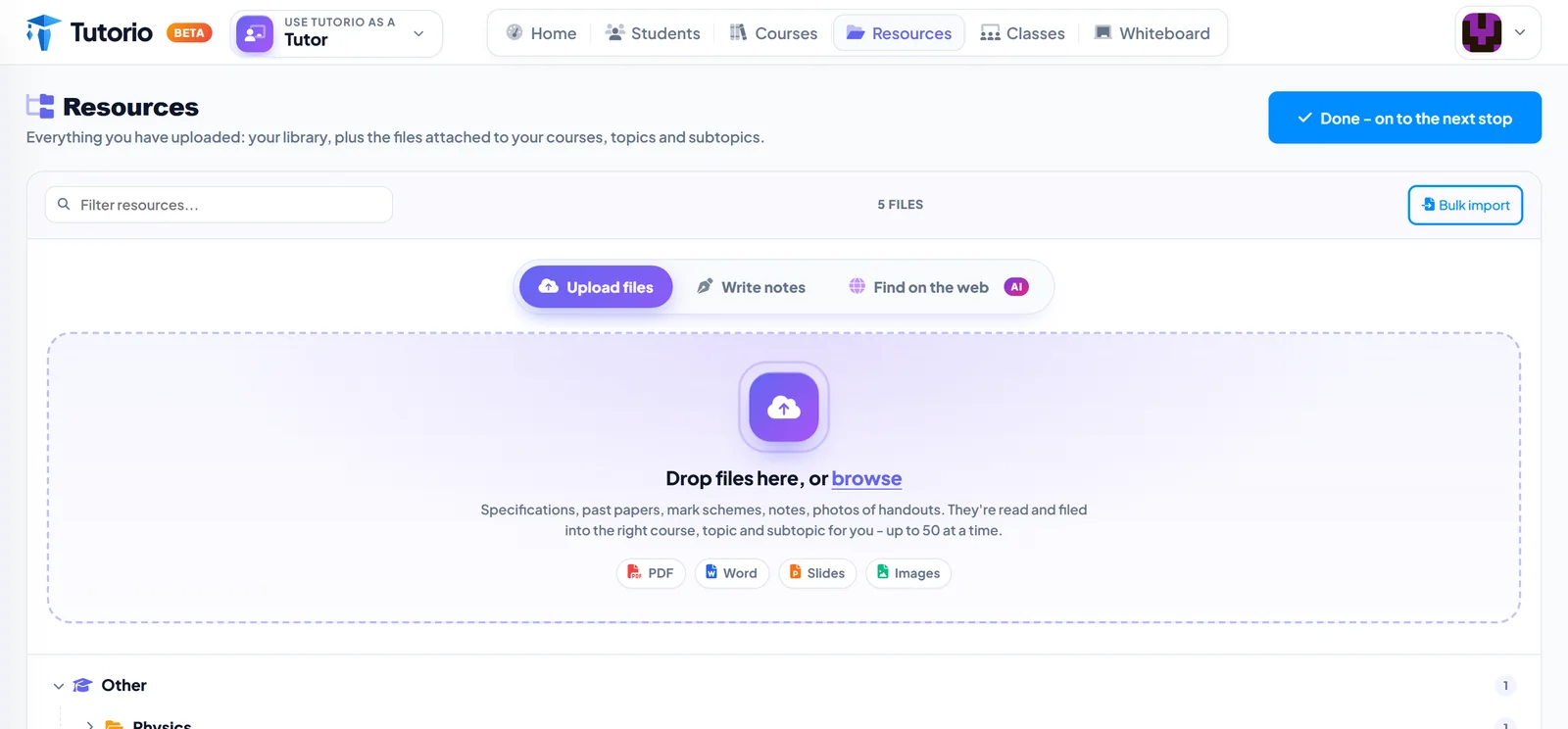 Product tours A home for every past paper you own Drop in fifty files at once and Tutorio reads them and files each one under the right course, topic and subtopic. Your downloads folder can finally retire.

Rather see it than read about it? Tutorio is in public beta. Take a look at the tutor workspace, or try a lesson as a student.
Tutorio for tutors Browse courses