Setting homework is the easy part. "Finish the questions on page 40." Done.
Then comes the real work. Did they do it? Which of them? Did they get stuck on question 3 or simply not start? And how many times can you write "just a reminder" in a group chat before it stops being a reminder and starts being your personality?
We cannot make teenagers love homework. We can stop you being the one who chases it.
Everything you have set, in one place
On the Deliver page there is a tab called Assignments. It is the answer to "what have I actually asked this class to do?"
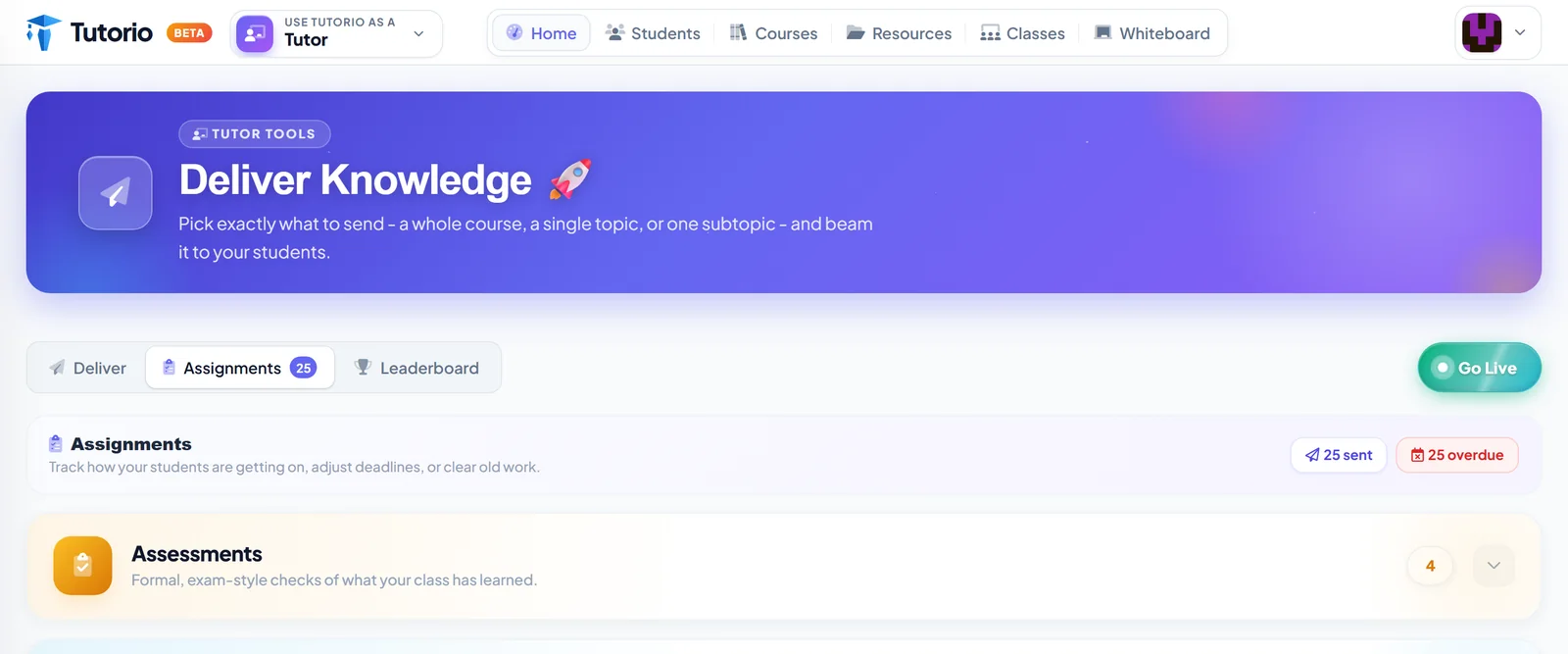
It sorts everything into three piles, and the difference between them is worth knowing:
- Assessments. Formal, exam-style checks of what your class has learned.
- Review. Revision that is assigned automatically from the lessons you have taught. You did not have to remember to set it.
- Assignments. Work you have sent for students to complete.
The middle one is the gift. Teach a lesson and the revision for it is lined up without you lifting a finger, built only from what that class has actually covered. Meeting an idea again after a gap is what makes it stick.
You will also notice this particular class has 25 pieces of work sent and 25 overdue. We left that in. It is a demo class whose students are not real, and it is also, frankly, what most tutors' Sunday evenings look like.
What the student sees
On their phone, homework is not buried in a menu. It is the first thing on the home screen.
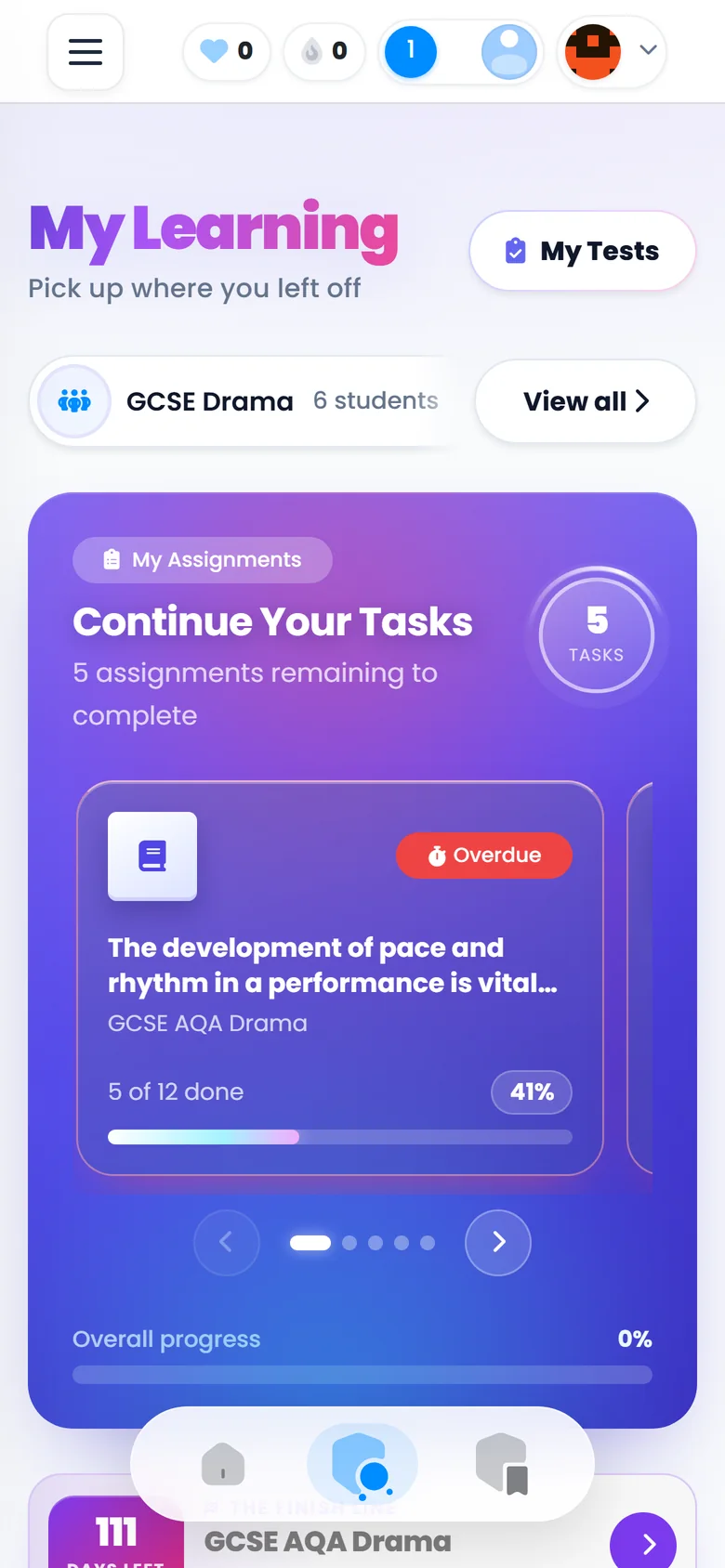
Continue Your Tasks. Five remaining. A red Overdue badge on the one that is late, and a bar showing they are 5 of 12 through it. No hunting. No "I couldn't find it, miss."
The reminders you do not have to send
This is the part that gives you your evenings back. When an assignment goes overdue, the student gets a short run of nudges:
- One hour after it was due.
- One day after.
- Three days after.
- A week after.
And the moment they finish, the reminders stop. Nobody gets pestered about work they have already done, which is the single quickest way to teach a child to ignore notifications.
You stay the person who helps with the homework. The app gets to be the one who nags about it.
Say why
When you set an assignment you can add a purpose: a line like "consolidate before Thursday's mock". Students see it as a short briefing before they start.
It sounds like a small thing. But "do these twelve questions" and "do these twelve questions because Thursday's mock will have three like them" are not the same request, and teenagers can tell.
The timeline: a class's story so far
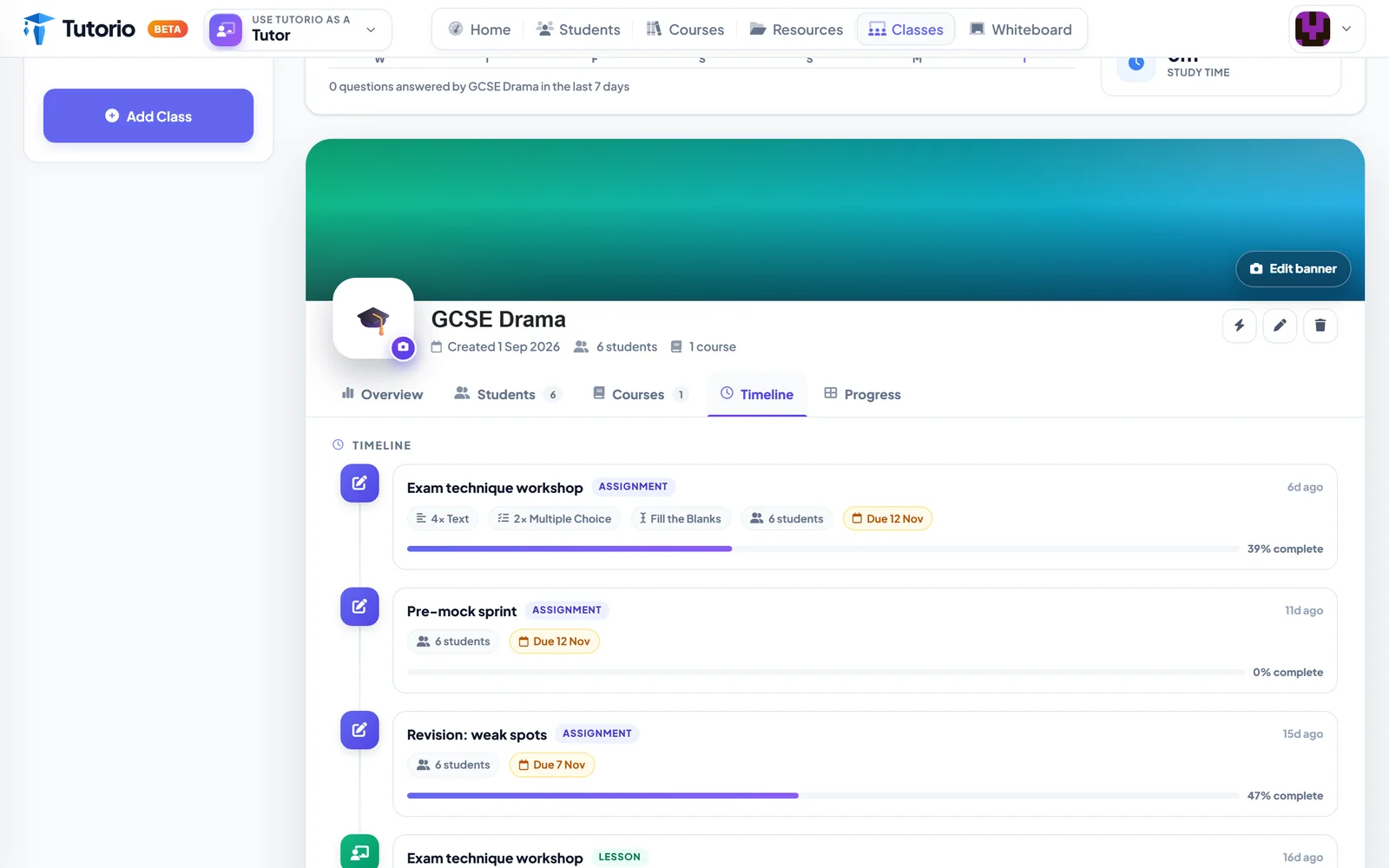
Every class has a Timeline tab, and it reads like a diary. Each assignment and lesson, in order, with its due date, who it went to, and how much of it the class has done.
It even tells you what each task was made of. That exam technique workshop: four text cards, two multiple choice, three fill the blanks. 39% complete. So when a parent asks what you have been covering this half term, you are not reconstructing it from memory.
And when the work comes in
Results arrive without marking. You can see who has finished, who has started and who has not opened it. Review results break down by question, which is how you find out that the whole class dropped the same mark on the same idea.
That is not a homework problem. That is next lesson's starter, handed to you.

Questions people ask
How do students get reminded about overdue homework?
They get a short run of nudges: one hour after it was due, then one day, three days and a week after. The reminders stop the moment the work is finished.
Do I have to mark the homework?
No. Results arrive already marked. You can see who has finished, who has started and who has not opened it.
What is the difference between an assignment, a Review and an assessment?
An assignment is work you send for students to complete. A Review is revision assigned automatically from the lessons you have taught. An assessment is a formal, exam-style check of what the class has learned.
Where do students find their homework?
It is the first thing on their home screen, under Continue Your Tasks, with a progress bar and an Overdue badge on anything late.
Written by the Tutorio team. We build Tutorio, so these posts describe the product as it is today. Every screenshot is a real capture of the app, and anything that changes gets an updated date. Spotted something out of date? Tell us.