"So, how's she getting on?"
Every tutor gets asked it, usually on a doorstep, usually while the next student is walking up the path. And every tutor gives roughly the same answer. "Yeah, really well. She's working hard. We did circuits this week."
All true. Also, from the parent's side, almost nothing. They are paying for this, they cannot see inside the lesson, and "fine" has to stretch a long way.
So we built a button for that conversation. It looks like a paper plane.
Thirty seconds, on your side
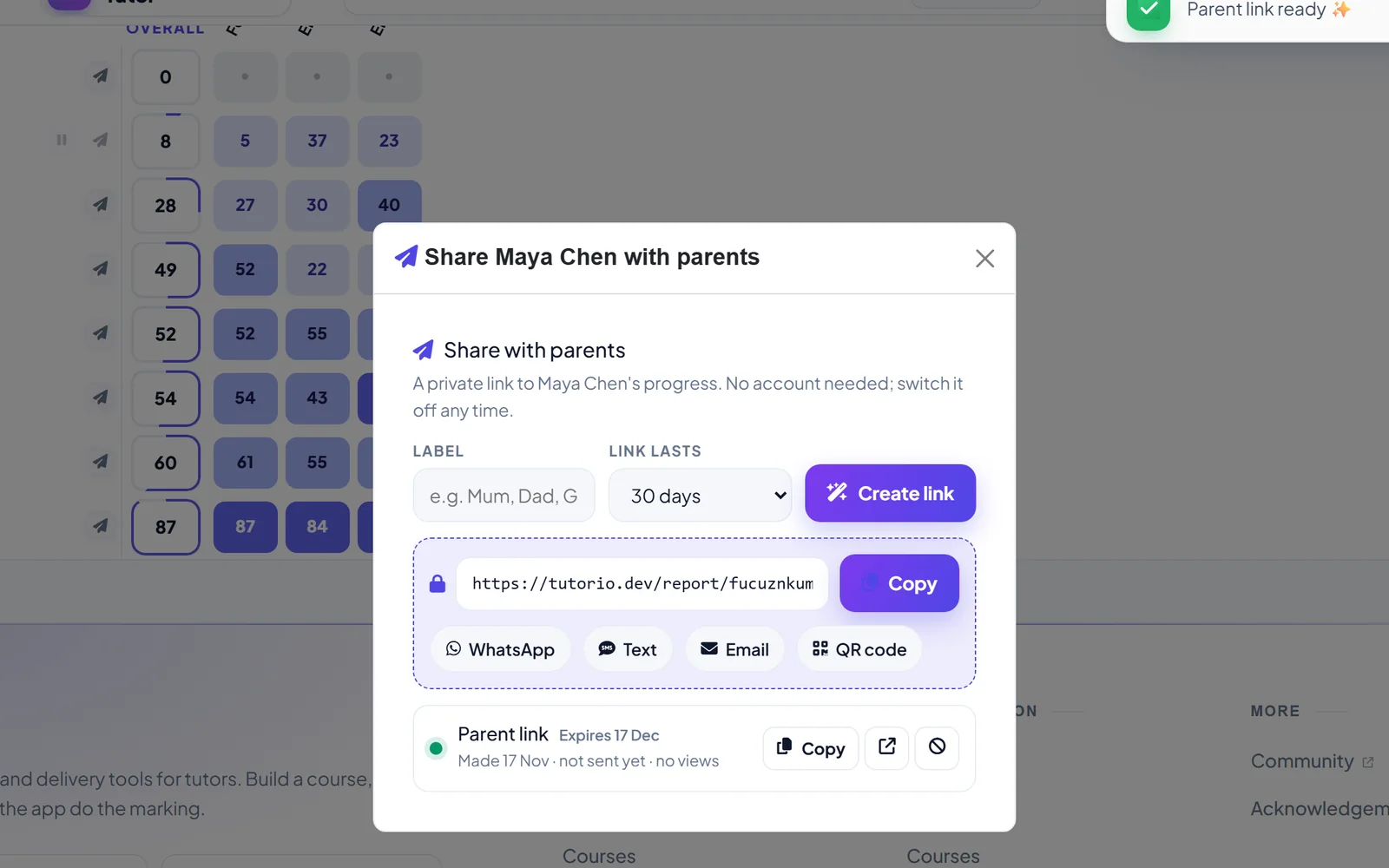
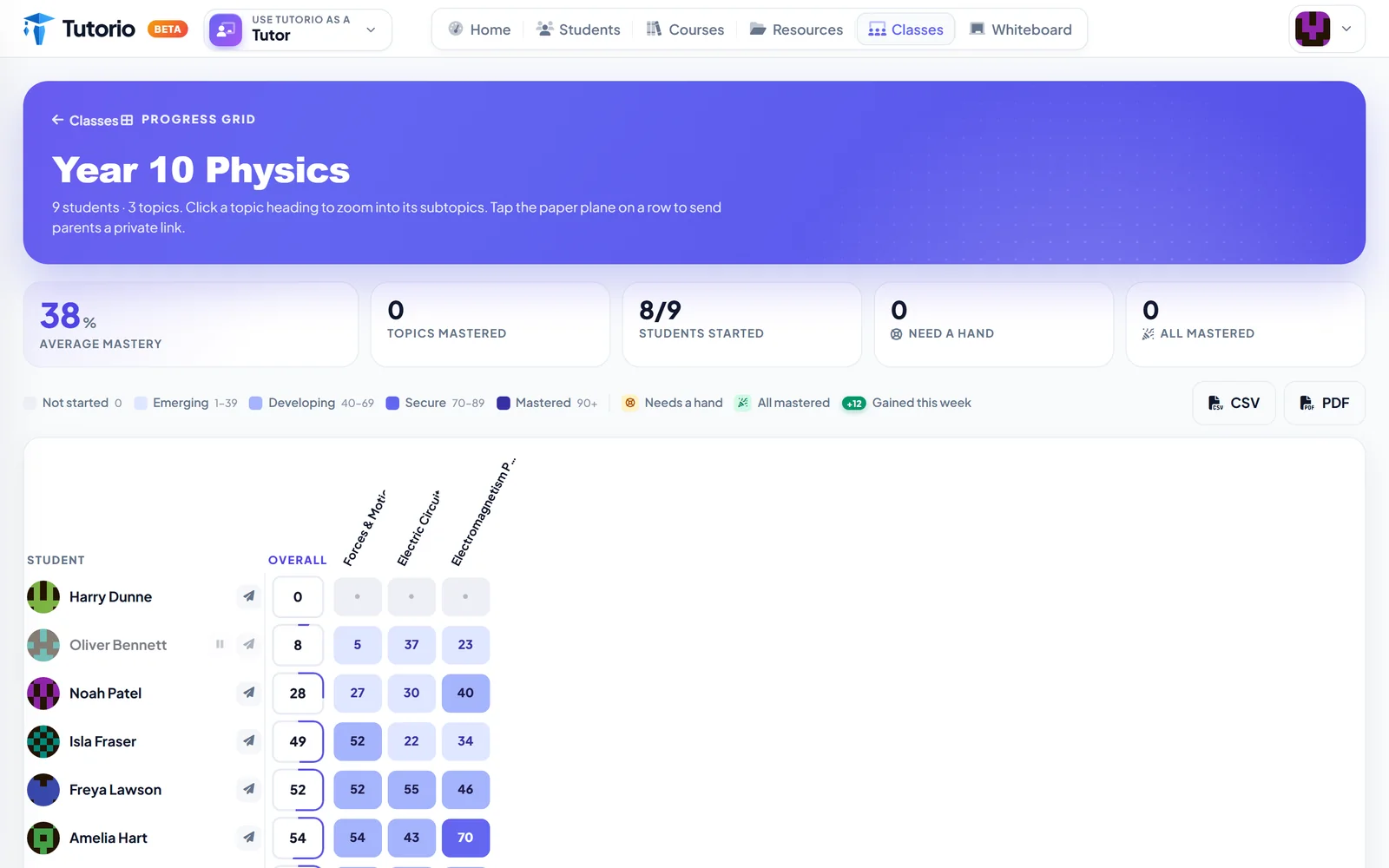
On the progress grid, each student has a paper plane beside their name. Press it and you get a small box that says, in so many words: a private link to this student's progress, no account needed, switch it off any time.
You choose how long the link lasts, and you can label it, so you know which link went to Mum and which to Dad. Then Create link, and pick how to send it: WhatsApp, text, email, or a QR code for the parent standing right in front of you.
That is the whole job. You did not write a report. You did not export anything. You did not find last month's report and change the dates.
What lands on their phone
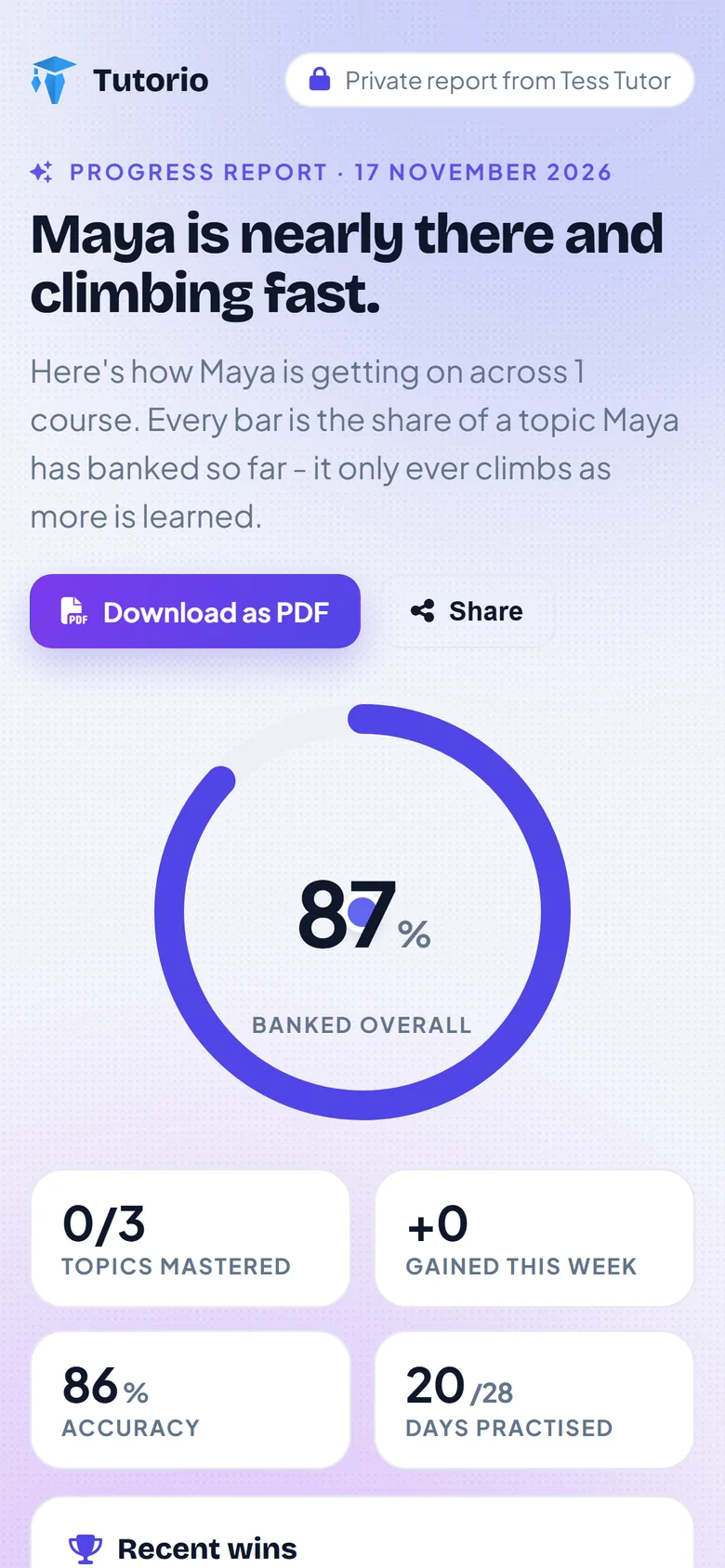
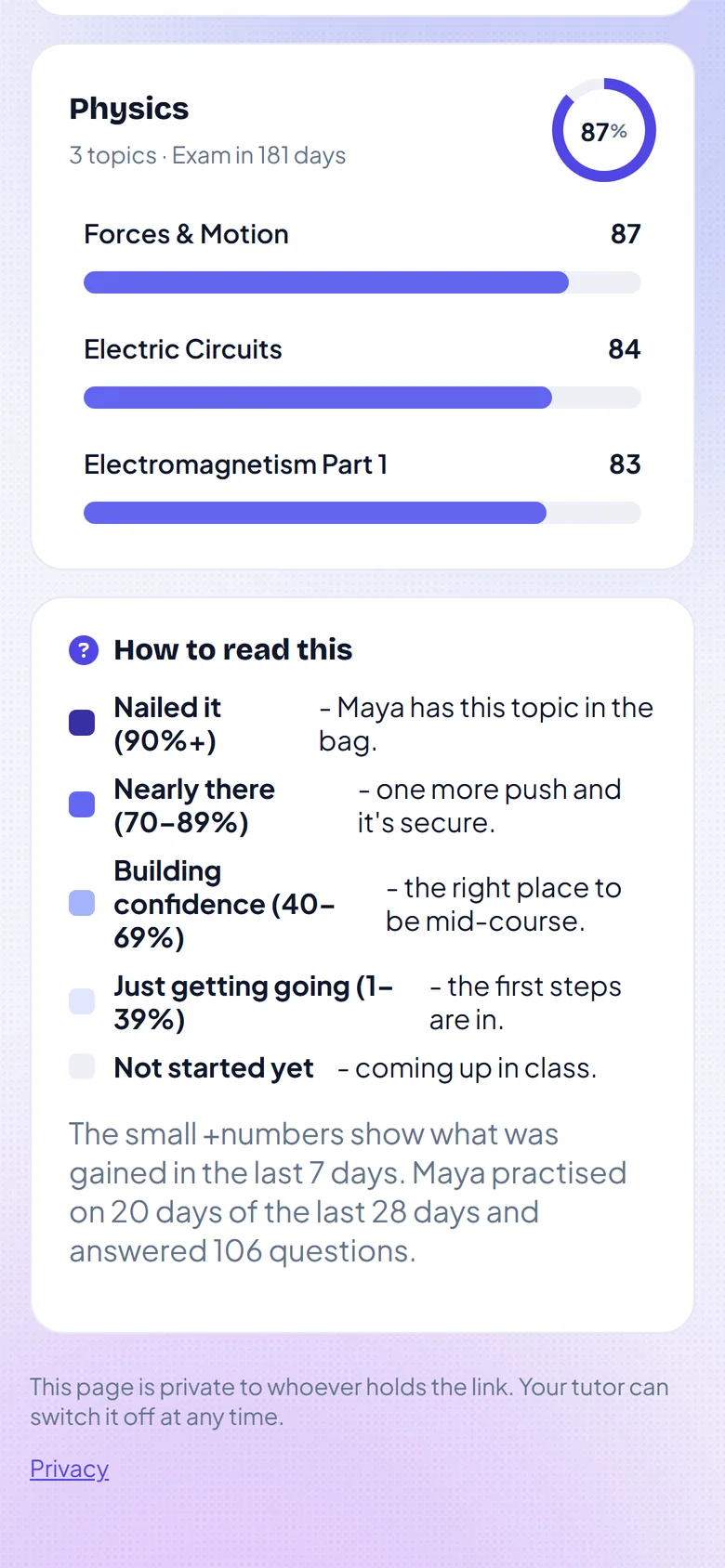
The first thing a parent reads is not a number. It is a sentence:
Maya is nearly there and climbing fast.
We thought hard about that. A parent opening a report about their child is braced. Leading with a headline in plain English, before any percentages, tells them how to feel about everything underneath.
Then come the numbers, and there are only a handful: how much of the course is banked overall, how many topics are mastered, what was gained this week, accuracy, and how many of the last 28 days their child practised.
The number that starts the right conversation
Our favourite is the last one. 20 of 28 days practised. Under it, in the recent wins: Consistency is the secret.
That is the figure a parent can actually do something with. They cannot help with electromagnetism. They can absolutely say "I saw you practised twenty days this month, that's brilliant" over dinner. A report that gives a parent one true, kind thing to say has done most of its job. There is more a parent can do without knowing any of the subject, and it is all in how to help your child revise.
It explains itself
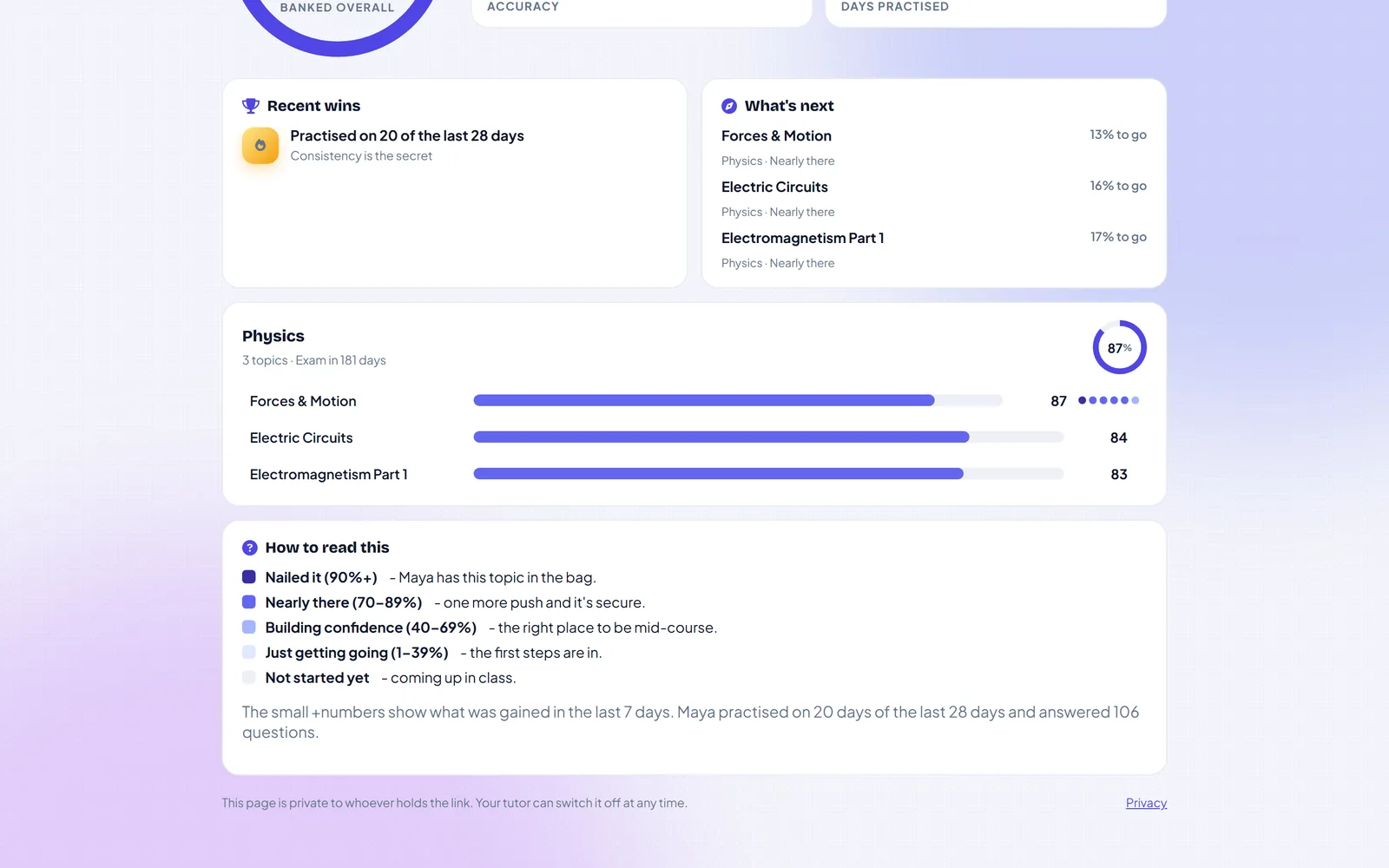
Scroll down and each topic gets a bar, with how far there is to go: Forces & Motion, 13% to go, nearly there. The exam countdown sits beside the course name, so everyone is looking at the same date.
And then there is a section called How to read this, which exists because most parents have never seen a mastery percentage in their lives. It translates:
- Nailed it (90%+). They have this topic in the bag.
- Nearly there (70 to 89%). One more push and it is secure.
- Building confidence (40 to 69%). The right place to be mid-course.
- Just getting going (1 to 39%). The first steps are in.
- Not started yet. Coming up in class.
Read that third one again. The right place to be mid-course. A parent who sees 55% in November and no explanation assumes their child is failing. A parent who is told that 55% in November is exactly on schedule relaxes, and so does the child.
The report says it itself: every bar is the share of a topic banked so far, and it only ever climbs as more is learned. Nobody opens this page to find their child has gone backwards.
Private, and yours to switch off
At the foot of the page it says who can see it: whoever holds the link, and the tutor can switch it off at any time. Back in your workspace, the link shows whether it has been viewed and when it expires.
No parent account. No app to install. No password to forget and email you about on a Sunday. For a parent, that is the difference between a page they open and a login they mean to set up one day.
There is a Download as PDF button too, for the grandparent who would like it on paper, or the school that wants it in a file.
Back on the doorstep
"So, how's she getting on?"
"I've just sent you a link. Have a look tonight, and if anything on it worries you, message me."
That takes four seconds, and it is a far better answer than "fine".

Questions people ask
How do I share a student's progress with their parents?
On the progress grid, press the paper plane beside the student, choose how long the link should last, and send it by WhatsApp, text, email or QR code.
Do parents need an account or the app?
No. The link opens a private page with no login, no app to install and no password.
What does the parent progress report show?
A plain-English headline, how much of the course is banked, how many topics are mastered, what was gained this week, accuracy, and how many of the last 28 days the child practised. Each topic has its own bar, and a key explains what the percentages mean.
Who can see the report, and can I turn it off?
Whoever holds the link. You can switch it off at any time, and your workspace shows whether it has been viewed and when it expires.
Can the report be printed?
Yes. There is a Download as PDF button on the page.
Written by the Tutorio team. We build Tutorio, so these posts describe the product as it is today. Every screenshot is a real capture of the app, and anything that changes gets an updated date. Spotted something out of date? Tell us.