It is eleven at night and you are on page four of the search results.
You want one thing: the specification and a couple of past papers for a board you have not taught before. What you have found is a revision site with a pop-up, a PDF that turns out to be the old version, a forum thread, and a link to a page that no longer exists.
Exam boards publish all of this for free. Finding it should not be a research project. So we built a tab that does the looking for you, and then does the part a search engine never does. It checks.
Say what you are after
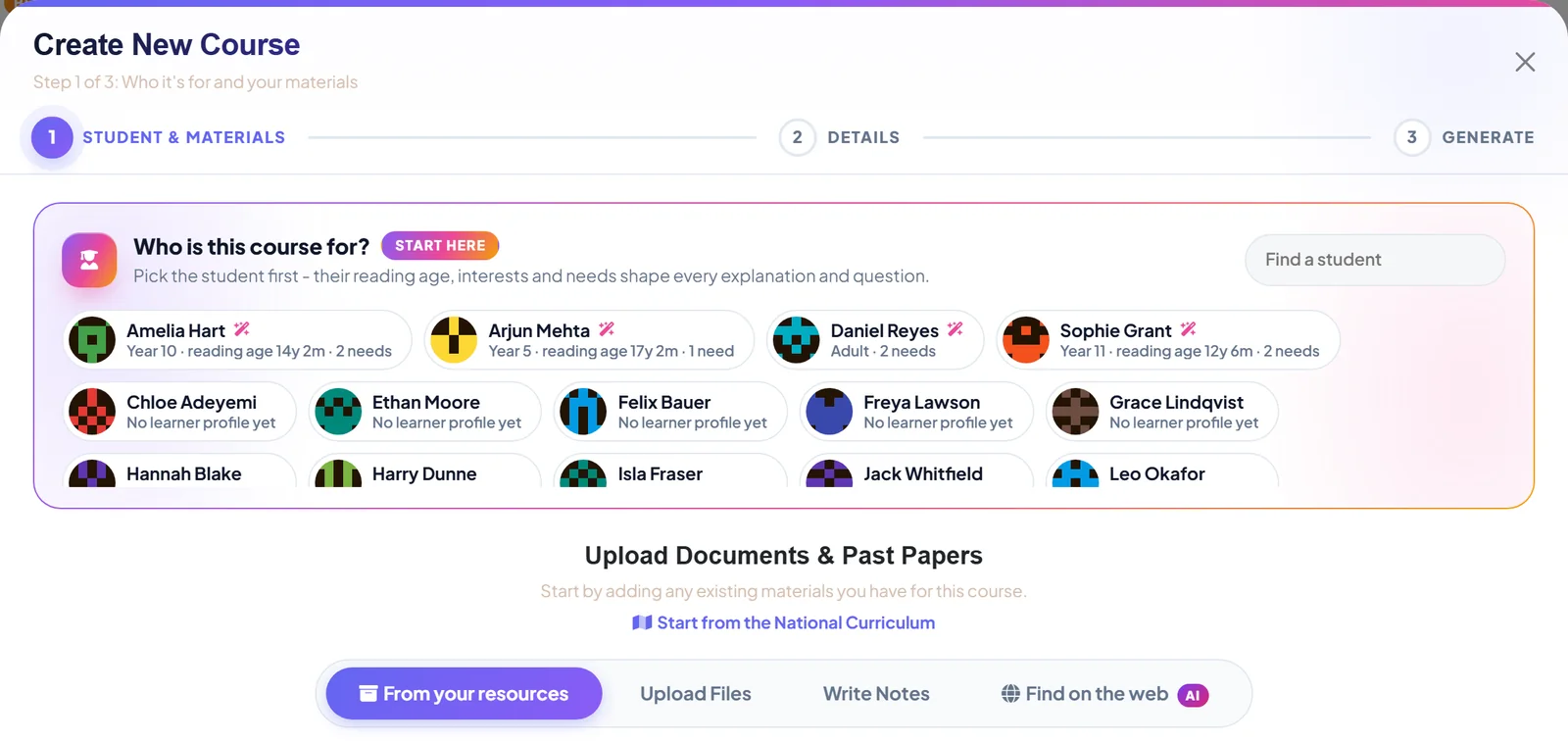
In the course wizard, next to uploading files and writing notes, there is a tab called Find on the web. Type what you would say to a colleague: AQA GCSE Biology paper 1 specification and past papers. If the course already has a title, the wizard suggests a description for you.
Then the results start arriving, one at a time.
Every result has been opened first
Here is the difference. Before a result is shown to you, Tutorio fetches it and checks that it is a real, readable PDF or page. Then it ranks what is left by how useful it looks for building a course.
Each result tells you where it came from, gives a short summary, and says why it was ranked where it was. You are not guessing from a file name.
Three labels and one deliberate gap
Finding a document and being allowed to use it are different questions, so every result carries a rights label.
- A shield means the document is on its publisher's own site, an exam board for example. Copyright is reserved, so use it within that publisher's terms.
- Open licence means Creative Commons, the Open Government Licence or public domain. Free to reuse with attribution.
- Check rights means we could not confirm who owns it. Look before you add it.
And the gap: sites that republish other people's past papers or notes are left out altogether. A paper you have seen on a revision site may not appear here. That is on purpose. We would rather show you fewer results than point you at somebody else's copy.
Nothing is copied
Tick the ones you want and press Add. What lands in your library is a link. The document stays on its publisher's site. Tutorio stores the link, never the file.
When you build a course, the AI uses those documents as reference only. The lessons it writes are original text, not reproductions of the source.
Before anything is added, you tick a box confirming that you are allowed to use the documents for your teaching, and Tutorio keeps a record of that. If your school or agency holds a licence, such as a CLA licence, check that it covers what you plan to do.
It lives in the library too
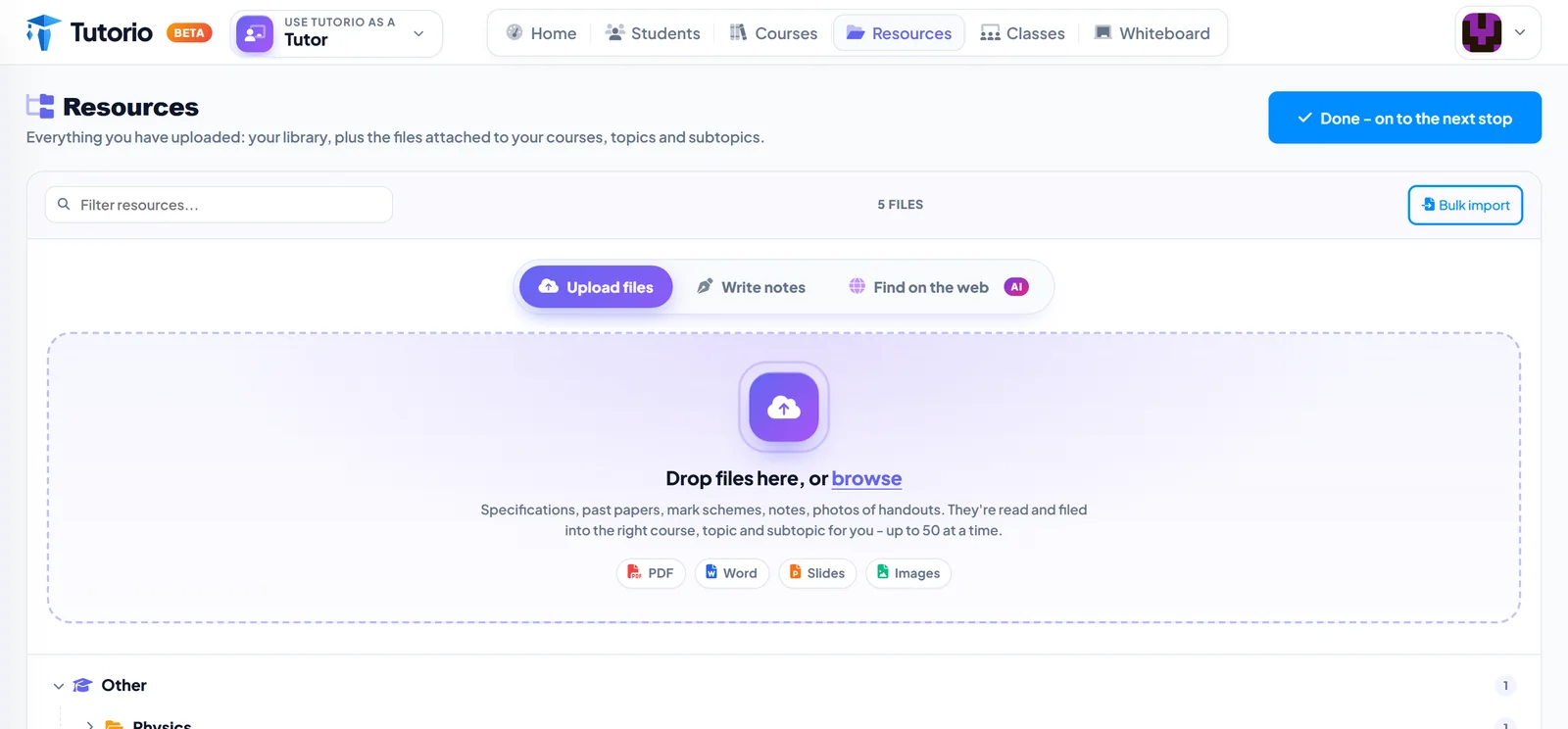
The same tab sits on your Resources page, beside the drop zone. Whatever you find is kept with everything you have uploaded, ready for the next course you build. A home for every past paper you own covers the rest of that page.
What it is not
It is not a way round anybody's paywall. It only looks at what is openly on the web, and it leaves out the copies.
It does not replace your own folder either. The handout that always works is still yours, and it is still the best thing you can upload. Here is what the wizard does with it.
What it replaces is page four of the search results at eleven at night.

Questions people ask
Where can I find past papers and specifications for a course?
In the course wizard or on the Resources page, open Find on the web and describe what you need, for example the board, the subject and the paper. Results arrive as a list you can tick.
How do I know a result is genuine?
Each result is fetched and checked to be a real, readable PDF or page before it is shown. It also shows its source, a summary and why it was ranked where it is.
Does Tutorio copy the documents it finds?
No. Found documents stay on the publisher's site and Tutorio stores the link, never the file. The AI uses them as reference only, and the lessons it writes are original text.
What do the rights labels mean?
A shield means the document is on its publisher's own site and copyright is reserved. An open licence label means it is free to reuse with attribution. Check rights means we could not confirm who owns it.
Why is a paper I saw on a revision site missing?
Sites that republish other people's past papers or notes are left out altogether, so a paper you have seen elsewhere may not appear.
Written by the Tutorio team. We build Tutorio, so these posts describe the product as it is today. Every screenshot is a real capture of the app, and anything that changes gets an updated date. Spotted something out of date? Tell us.